
AVM FRITZ!Box 7312 port forwarding: step-by-step guide
This guide shows in 7 steps how to forward port 80 (HTTP) on the AVM FRITZ!Box 7312 to your PC, so that a web server such as the free cFos Personal Net is reachable from the Internet. Other routers: all guides.
Enable port forwarding for the AVM FRITZ!Box 7312
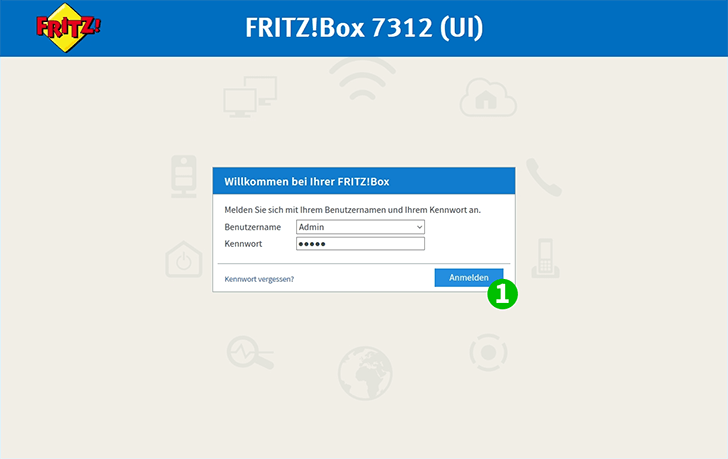
1 Log in to your FRITZ!Box by entering username and password
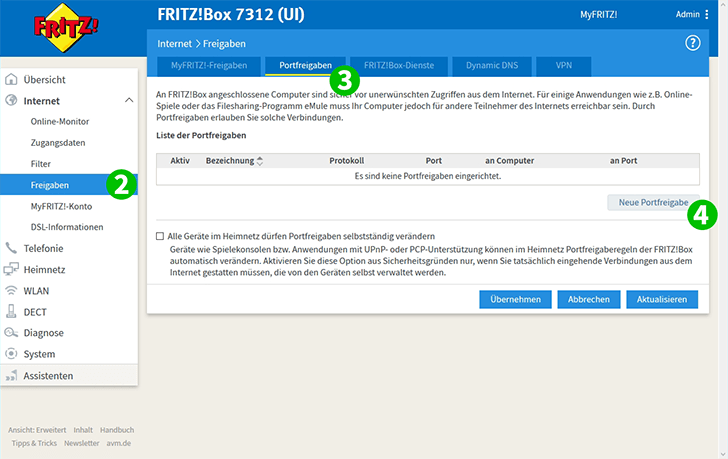
2 On the left-hand side click on "Internet" and in the sub-menu on "Permit Access"
3 Switch to the tab "Port Forwarding"
4 Click on "New Port Forwarding"
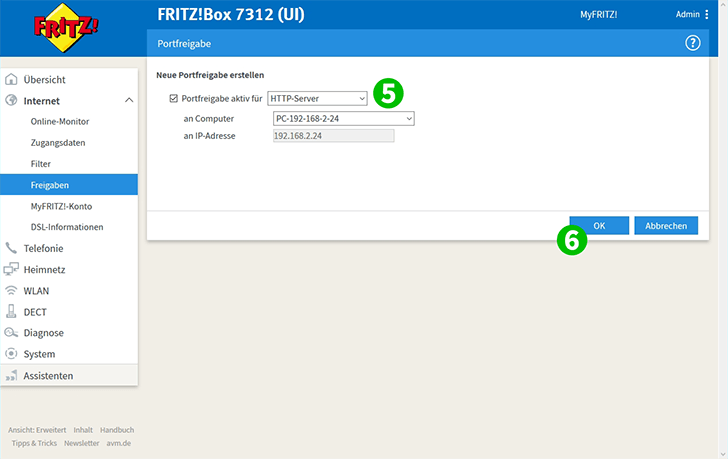
5 Choose "HTTP-Server" in the first and your computer, on which cFos Personal Net is running, in the second drop-down menu
6 Acknowledge by clicking "OK"
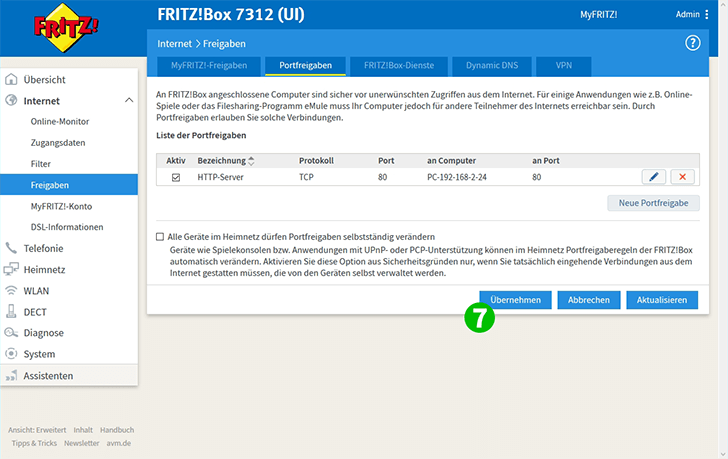
7 Activate the port forwarding by clicking "Apply"
Port forwarding is now configured for your computer!