
AVM FRITZ!Box 3390 port forwarding: step-by-step guide
This guide shows in 11 steps how to forward port 80 (HTTP) on the AVM FRITZ!Box 3390 to your PC, so that a web server such as the free cFos Personal Net is reachable from the Internet. Other routers: all guides.
Enable port forwarding for the AVM FRITZ!Box 3390
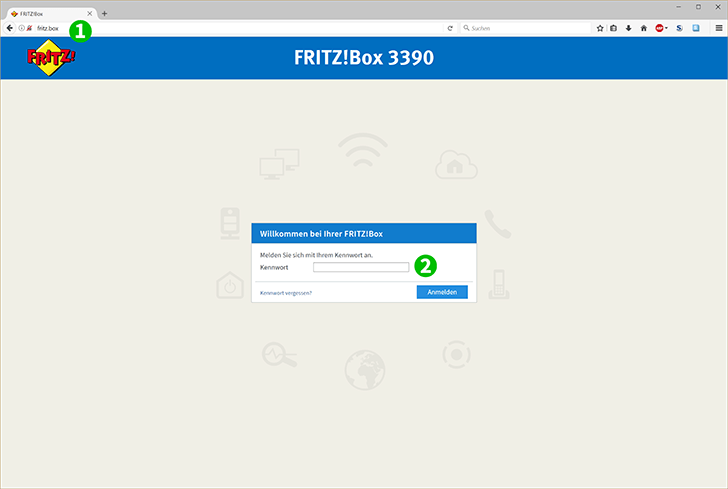
1 Connect to your FRITZ!Box 3390 by entering "fritz.box" in the address field of your browser
2 Log in by entering your password
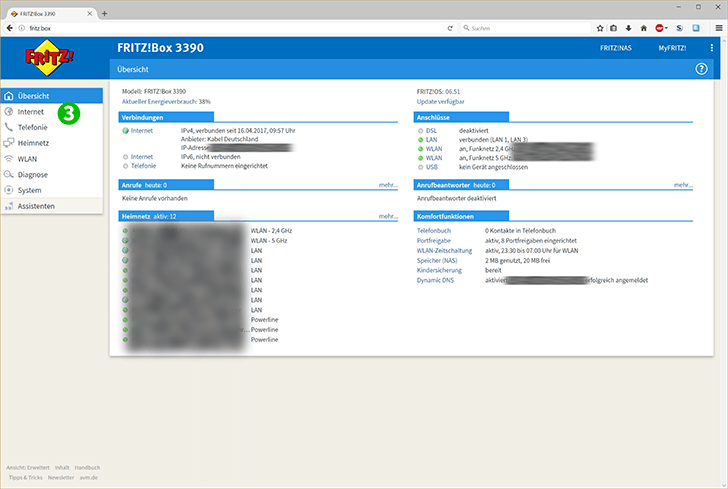
3 Click on "Internet" in the menu bar on the left
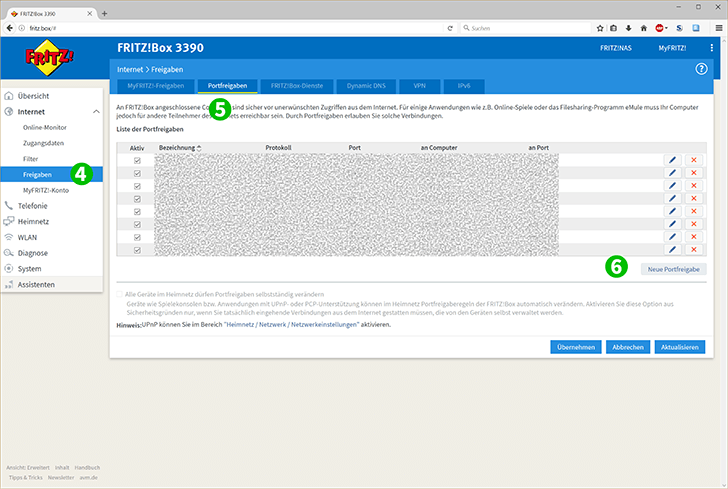
4 Click on "Freigaben" in the menu bar on the left
5 Choose the tab "Portfreigaben" on the top
6 Click on "neue Portfreigabe" in the lower right
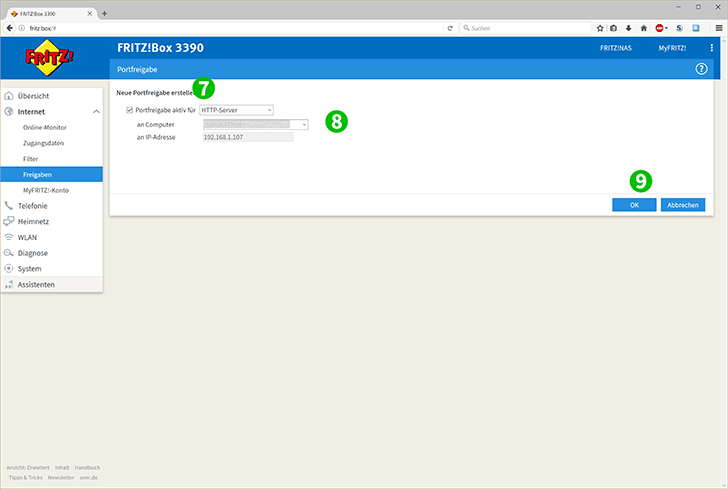
7 Select the check box "Portfreigabe aktiv für" and select HTTP-Server
8 Select the computer cFos Personal Net is running on from the list below. The FRITZ!Box will enter the IP address by itself
9 Click on "OK". The computer and the port forwarding should appear on the list now
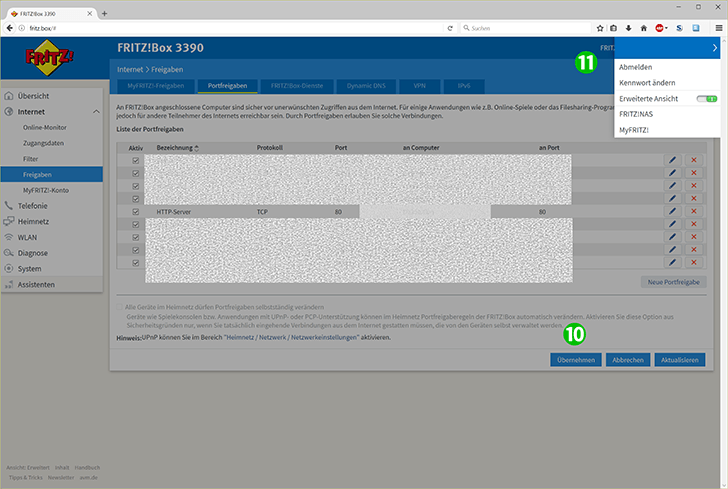
10 Click on "Übernehmen"
11 You can now log out of your FRITZ!Box by clicking on the three bars in the top right and selecting "Abmelden"
Port forwarding is now configured for your computer!